Looking for the best laptop under ₹30,000 in India? You are not alone, because it is one of the most searched budget questions every festival season. However, here is the honest truth: in 2026, most new Core i3 and Ryzen 3 laptops cost more than ₹30,000. So, in this budget you need to choose smartly between Android laptops, Chromebooks and entry-level Windows laptops. We ranked the six best options on Amazon with clear score cards, real rating data and honest pros and cons.
Disclosure: As an Amazon Associate we earn from qualifying purchases, at no extra cost to you. Our scores are our own and are based on specs, brand support and buyer ratings. Prices in the product boxes update automatically.
Quick Answer: Best Laptop Under ₹30,000
- Top pick for students: Primebook 2 Pro – 14-hour battery and a Full HD screen.
- Bigger screen: Primebook 2 Max – 15.6-inch Full HD and 256GB storage.
- For Google apps and browsing: ASUS Chromebook CX1405 – 8GB RAM and Full HD.
- Under ₹20,000: Acer Chromebook 11.6-inch – light, simple and secure.
- If you need Windows: Lenovo IdeaPad Slim 3 – with MS Office 2021.
Best Laptop Under ₹30,000: Comparison Table
First, here is our full ranking at a glance. Tap a laptop name to jump to its review.
| Model | Price · Rating · Score | |
|---|---|---|
| 1. Primebook 2 Pro (2026) | ₹26,989 · ⭐ 4.3 · 8.3/10 | |
| 2. Primebook 2 Max (2026) | ₹29,989 · ⭐ 4.3 · 8.1/10 | |
| 3. ASUS Chromebook CX1405 | ₹29,990 · ⭐ 3.7 · 7.9/10 | |
| 4. Acer Chromebook 11.6″ | ₹18,490 · ⭐ 4.0 · 7.7/10 | |
| 5. Primebook 2 Neo (2026) | ₹24,990 · ⭐ 4.2 · 7.6/10 | |
| 6. Lenovo IdeaPad Slim 3 (Celeron) | ₹29,999 · ⭐ 3.9 · 7.2/10 |
*Amazon.in price when we checked on 27 October 2026. Prices change daily, so tap through for today’s price.
Which Type of Laptop Should You Buy Under ₹30,000?
Before picking a model, decide which type suits you. In fact, this one choice matters more than any spec.
Android laptops
Primebooks run Play Store apps and have very long battery life. So, they are great for online classes, YouTube and light office work. However, they cannot run Windows software like Tally.
Chromebooks
Chromebooks run ChromeOS and work best with Google Docs, Gmail and web apps. They are fast and simple, but they depend on the internet.
Windows laptops
Windows laptops run all regular software, including MS Office. Under ₹30,000, though, you mostly get slow Celeron chips.
How We Ranked the Best Laptop Under ₹30,000
We scored every laptop out of 10 on five things that matter in daily use:
- Performance: chip, RAM and storage speed.
- Display: size, resolution and brightness.
- Battery: real-world hours on a charge.
- Software: which apps you can run, and how long updates last.
- Value: price, warranty and buyer ratings.
In addition, we show each laptop’s Amazon star breakdown. That way, you can see how many buyers had problems, not just the average.
Best Laptop Under ₹30,000: Detailed Reviews
Below, each pick gets its own score card, so you can compare them side by side.
1. Primebook 2 Pro (2026) – 8GB RAM, 128GB, 14.1″ Full HD
Price: ₹26,989* · Amazon rating: ⭐ 4.3/5 (1K ratings)
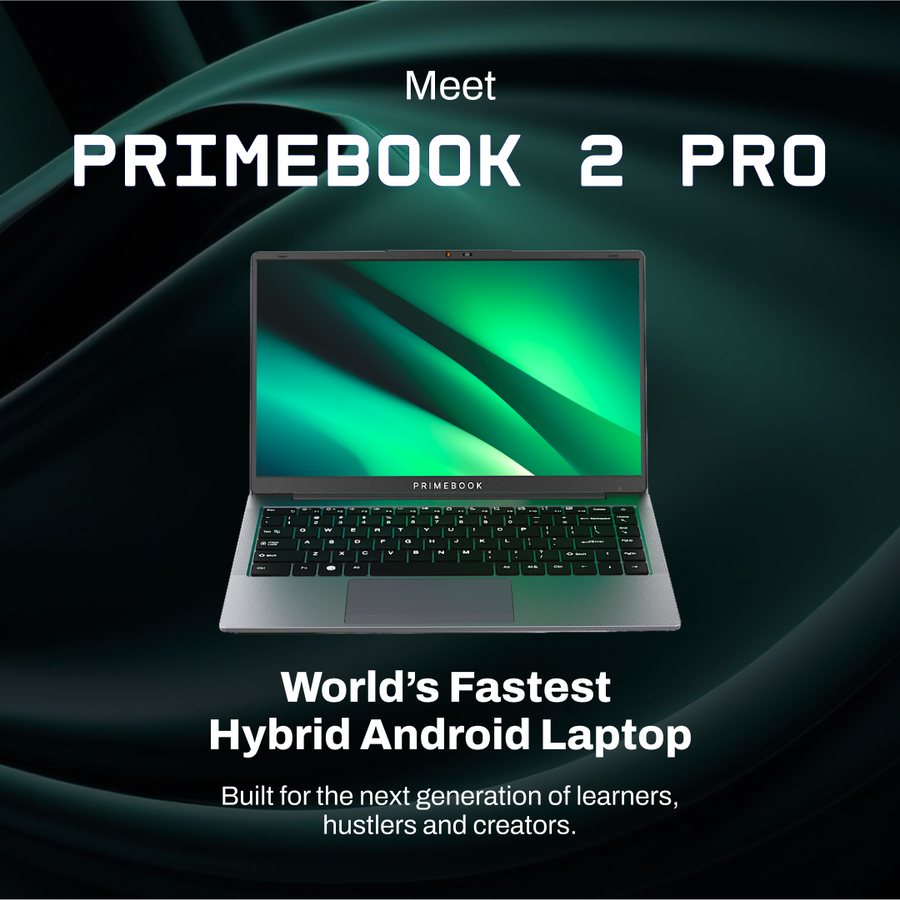
The Primebook 2 Pro is our top pick for the best laptop under ₹30,000 if you study online. First, it has the best rating here: 4.3 stars from over 1,000 buyers. In addition, its 14-hour battery easily lasts a full college day. It runs PrimeOS 3.0, which is based on Android 15, so you get Play Store apps in a laptop-style desktop.
- Up to 14 hours of battery, so it lasts a full day
- 14.1-inch Full HD IPS screen, so text looks sharp
- 8GB RAM and 128GB UFS, plus a microSD slot up to 1TB
- Best rating here (4.3★ from 1,000+ buyers)
- Runs Android apps, so Windows software like Tally won’t work
- Not suited to coding tools that need a desktop OS
2. Primebook 2 Max (2026) – 8GB RAM, 256GB, 15.6″ Full HD
Price: ₹29,989* · Amazon rating: ⭐ 4.3/5 (994 ratings)
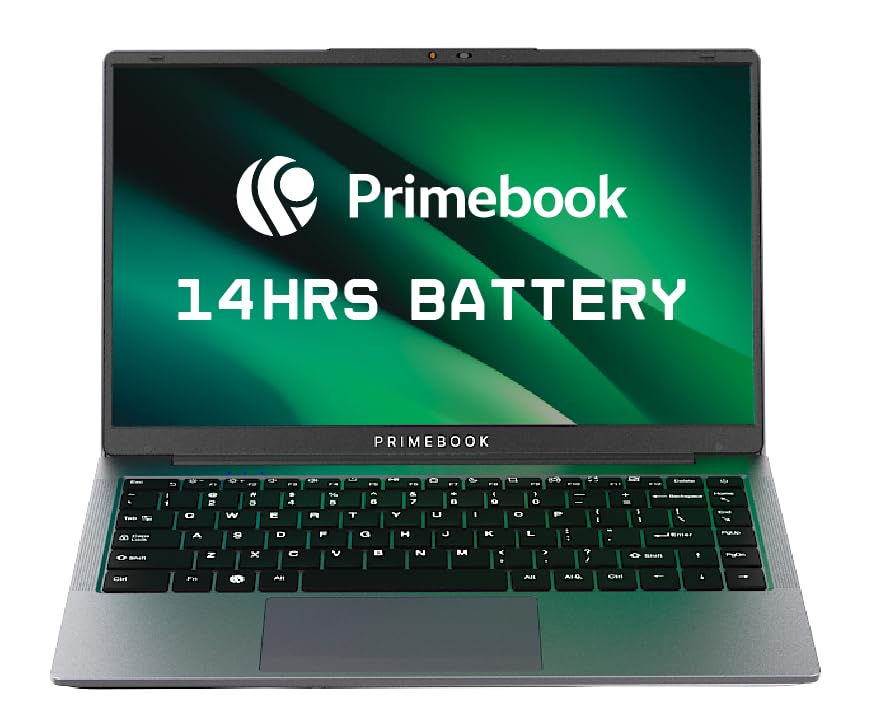
The Primebook 2 Max is the bigger sibling of the Pro. It has a 15.6-inch Full HD screen and double the storage. So, if you watch long lectures or simply like a bigger display, this is the one to buy. Plus, it still lasts up to 12 hours on a charge.
- 15.6-inch Full HD IPS screen, so videos and notes are easy on the eyes
- 256GB storage, which is generous at this price
- Up to 12 hours of battery, too
- Dual speakers and dual mics, so online classes sound clear
- Same Android app limits as the Pro
- Priced right at the ₹30,000 limit
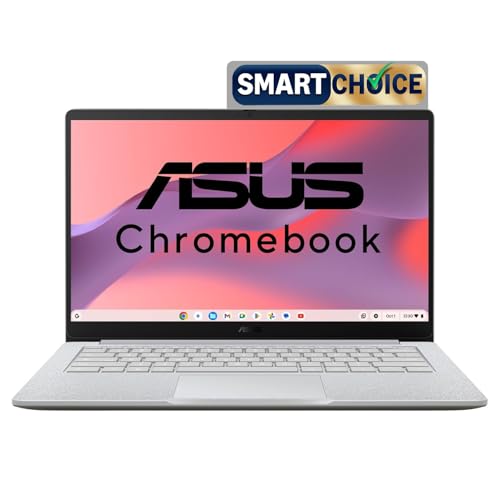
3. ASUS Chromebook CX1405 (2026) – Intel N50, 8GB RAM, 14″ Full HD
Price: ₹29,990* · Amazon rating: ⭐ 3.7/5 (35 ratings)
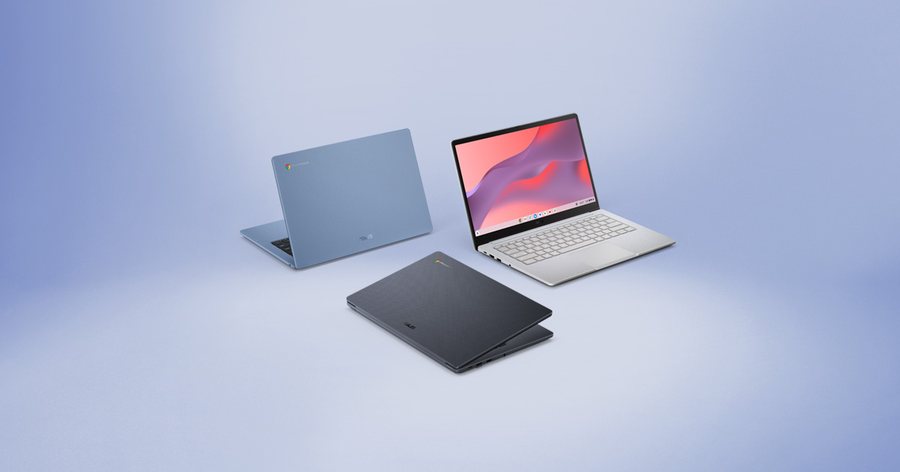
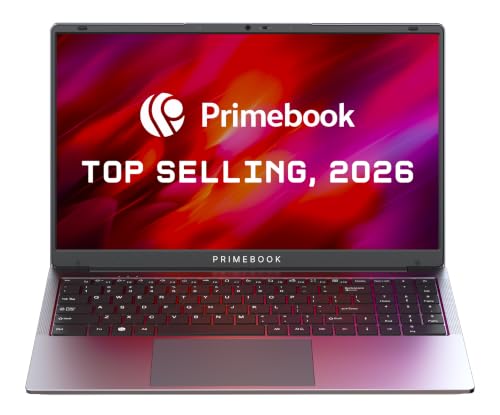
If most of your work happens in a browser, a Chromebook is a smart buy. The ASUS CX1405 pairs an Intel N50 chip with 8GB of fast LPDDR5 RAM. As a result, it handles many Chrome tabs and Google Docs smoothly. Also, ChromeOS boots in seconds, updates itself and has built-in virus protection.
- 8GB LPDDR5 RAM, so dozens of tabs stay smooth
- 14-inch Full HD anti-glare screen at 300 nits
- Wi-Fi 6 and two USB-C ports, so it is future-ready
- ChromeOS is simple and secure, so it suits families
- Few reviews so far (35), so the rating may change
- No Windows apps, and offline use is limited
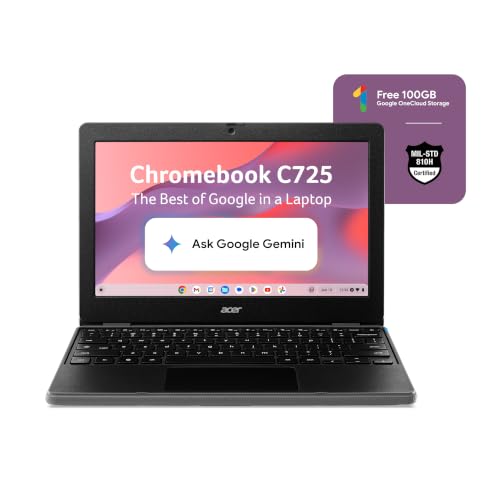
4. Acer Chromebook 11.6″ – MediaTek Kompanio 540, 4GB RAM
Price: ₹18,490* · Amazon rating: ⭐ 4.0/5 (20 ratings)
On a tight budget? The Acer Chromebook costs under ₹19,000, yet it still feels quick for browsing and school work. Its Kompanio 540 chip is efficient, so battery life is strong. Moreover, it is light at 1.2 kg, so children can carry it to school easily.
- Under ₹19,000, so it is the cheapest pick here
- Efficient Kompanio 540 chip, so the battery lasts long
- Wi-Fi 6E and Bluetooth 5.3, too
- Light 1.2 kg body, which suits school bags
- The title says Full HD, but the specs list 1366 × 768, so expect an HD screen
- Only 20 ratings, and 22% are one star
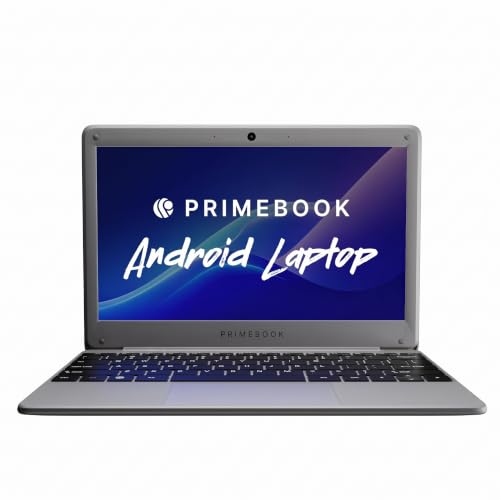
5. Primebook 2 Neo (2026) – 8GB RAM, 128GB, 11.6″
Price: ₹24,990* · Amazon rating: ⭐ 4.2/5 (595 ratings)
The Primebook 2 Neo packs the same Helio G99 chip and 8GB RAM as the Pro into a small 11.6-inch body. Therefore, it weighs only 1.1 kg, which is perfect for school bags. However, the screen is HD rather than Full HD, so pick the Pro if you can stretch.
- Only 1.1 kg, so it is the lightest laptop here
- Same Helio G99 chip and 8GB RAM as the Pro
- 4.2★ from nearly 600 buyers
- Dual-band Wi-Fi and USB-C fast charging, too
- 11.6-inch HD screen, so it is small for long sessions
- Costs only ₹2,000 less than the Pro
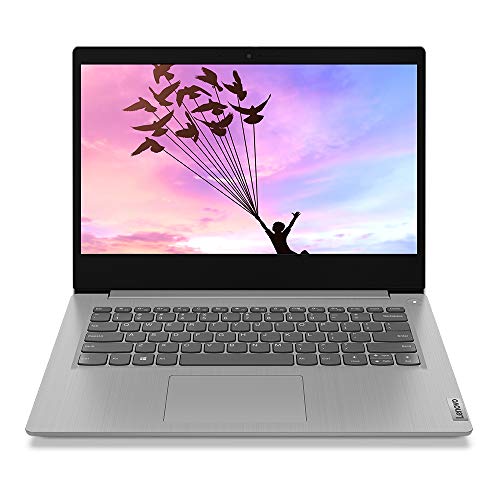
6. Lenovo IdeaPad Slim 3 – Intel Celeron N4020, 4GB, 256GB SSD, Windows 11
Price: ₹29,999* · Amazon rating: ⭐ 3.9/5 (378 ratings)
Do you specifically need Windows, for example for MS Office, Tally or school software? Then the Lenovo IdeaPad Slim 3 is one of the few new Windows laptops under ₹30,000. It comes with Windows 11, MS Office Home and Student 2021 and a 2-year warranty. That said, its Celeron chip is slow, so keep expectations modest.
- Genuine Windows 11 with MS Office 2021 included
- 2-year warranty from a trusted brand
- 256GB SSD, so it boots faster than old hard-disk laptops
- Thin 1.99 cm, 1.5 kg design, too
- Celeron N4020 with 4GB RAM, so heavy multitasking is slow
- 14-inch HD screen at 220 nits, so it is dim outdoors
What About Refurbished Laptops?
Refurbished business laptops, such as a Dell Latitude with a Core i5, give you far more power for the same money. Still, they usually come with a short seller warranty instead of a brand warranty. So, buy only from sellers with many good ratings, and check the battery health and return policy first.
Also, for younger children, the Primebook WiFi costs about ₹15,000 and has a 4.3★ rating from over 400 buyers.
How to Choose the Best Laptop Under ₹30,000
1. Pick the operating system first
Choose Windows only if you need specific Windows software. Otherwise, an Android laptop or a Chromebook feels much faster at this price.
2. Always choose SSD or UFS storage
Old hard disks are slow. So, pick SSD, UFS or at least eMMC storage for quick boot times.
3. 8GB RAM is the sweet spot
4GB works for basic tasks. However, 8GB keeps many tabs and apps open without slowing down.
4. Prefer a Full HD screen
A 1920 × 1080 screen shows sharper text than HD. As a result, reading and studying feel easier on your eyes.
5. Use bank offers and No Cost EMI
Finally, during sales, bank discounts and No Cost EMI can cut the price by a few thousand rupees.
Verdict: The Best Laptop Under ₹30,000
So, what is the best laptop under ₹30,000 right now? For most students, the Primebook 2 Pro wins thanks to its battery, screen and ratings. If you prefer a bigger screen, choose the Primebook 2 Max. For web work and Google apps, however, the ASUS Chromebook CX1405 is the better fit. And if you truly need Windows, the Lenovo IdeaPad Slim 3 is the safe choice.
Also read: Best mobile phones under ₹20,000 · Best 55 inch TV under ₹35,000 · Luggage sale deals
FAQs About the Best Laptop Under ₹30,000
Which is the best laptop under ₹30,000 in India?
The Primebook 2 Pro is our top pick for students. It has a 14.1-inch Full HD screen, 8GB RAM and up to 14 hours of battery for about ₹26,989.
Can I get a Core i3 or Ryzen 3 laptop under ₹30,000?
Rarely, in 2026. Most new Core i3 and Ryzen 3 laptops cost more than ₹30,000. A refurbished Core i5 business laptop is the main way to get that power in this budget.
Is a laptop under ₹30,000 good for coding?
For basic web coding, a Chromebook like the ASUS CX1405 works well. For heavier tools, however, a refurbished Core i5 Windows laptop is a better choice.
Is a laptop under ₹30,000 good for gaming?
No. Laptops in this budget are built for study, browsing and office work. They can run light Android games, but not modern PC games.
Should I buy a Chromebook or a Primebook?
Pick a Chromebook if you mostly use Google apps and the web. Pick a Primebook if you want Android apps and the longest battery life.